
Quick Answer: You can check your name in the MGNREGA job card list 2026 on the official VB-GRAMG portal, vbgramg.dord.gov.in. Pick your state, then your district, block and gram panchayat, and open the Job Card / Employment Register — that list shows every job card in your panchayat. Your old MGNREGA job card is still valid if its e-KYC is done, until a new Gramin Rozgar Guarantee Card is issued. Checking the list is free and needs no login.
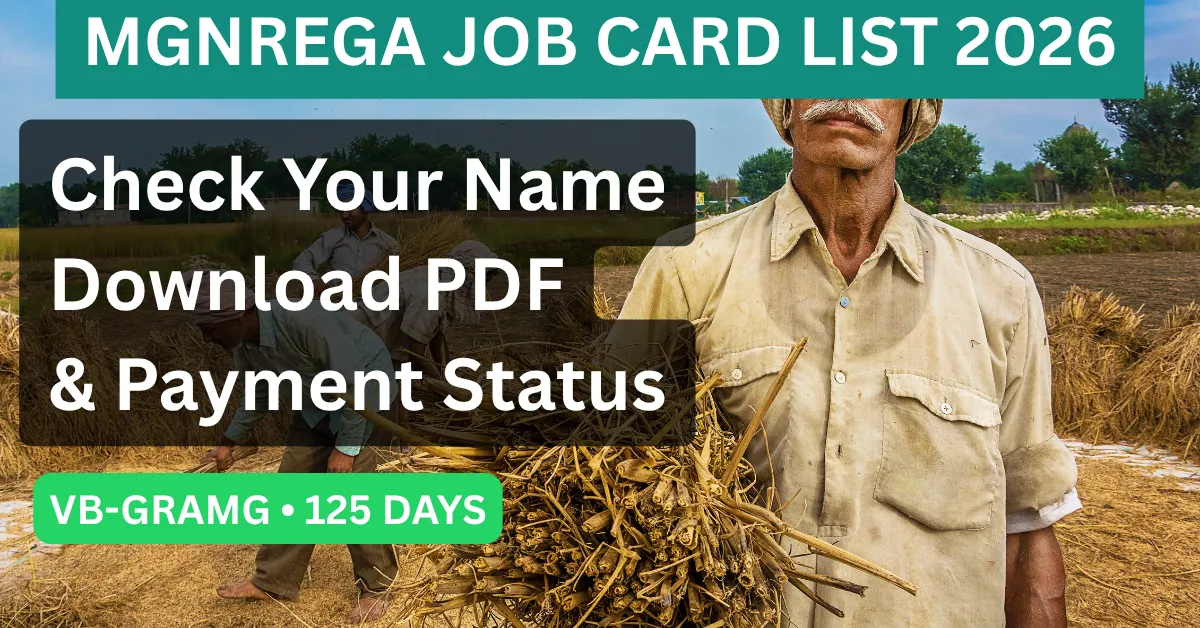
The MGNREGA job card list 2026 now sits under a new scheme name. From 1 July 2026, the Mahatma Gandhi National Rural Employment Guarantee Act (MGNREGA), 2005, stands repealed and the Viksit Bharat – Guarantee for Rozgar and Ajeevika Mission (Gramin) Act, 2025 — VB-G RAM G, often written VB-GRAMG — is the law in force across all rural areas of the country. The guarantee has gone up from 100 days to 125 days of wage employment per rural household in a financial year. If you worked under MGNREGA, or your family holds a job card, this guide shows you how to find your name in the 2026-27 list, download your job card, and check whether your wages have been paid — using only the official portal.
One thing to be clear about at the start: there is no separate “2026-27 list release date” to wait for. The list is the gram panchayat’s employment register for the financial year 2026-27, live on the portal. If your panchayat’s register is showing, your name is either in it or it is not — the portal, not a newspaper date, is the answer.
Contents
- What is VB-GRAMG and what changed from MGNREGA?
- How to check your name in the MGNREGA job card list 2026
- How to download the job card PDF
- How to check your payment status
- What to do if your name is missing or your card is not found
- FAQs
- Sources
What is VB-GRAMG and what changed from MGNREGA?
VB-G RAM G is the new rural employment law that replaced MGNREGA. Parliament passed the Bill in December 2025 and the President gave assent on 21 December 2025; the Gazette notification followed the same day. The government notified commencement across all rural areas with effect from 1 July 2026, and MGNREGA stood repealed from that date. (Some reports dated the assent story 22 December 2025, which is the date the news was widely carried — the assent itself was on 21 December.)
For a job card holder, the practical changes are these:
- 125 days, not 100: every rural household whose adult members volunteer for unskilled manual work is now entitled to a statutory guarantee of 125 days of wage employment in a financial year, up from 100 days under MGNREGA.
- Your old card still works: the Press Information Bureau (PIB) release of 11 May 2026 states that existing e-KYC verified MGNREGA job cards “shall remain valid under VB–G RAM G until Gramin Rozgar Guarantee Cards are issued”. Workers without a job card can still register at the gram panchayat, and the same release says workers “shall not be denied employment merely due to pending e-KYC”.
- New card name: the replacement card is called the Gramin Rozgar Guarantee Card. PIB’s October 2026 factsheet records that 15.17 crore Gramin Rozgar Guarantee Cards had been issued by 24 September 2026.
- Same payment route: wages continue to be paid by Direct Benefit Transfer (DBT) straight into the worker’s bank or post office account — weekly, or within 15 days of the muster roll closing, failing which delay compensation is payable under the Act.
- Planning has moved to the village: works are now planned through Viksit Gram Panchayat Plans (VGPPs), built around four themes — water security, core rural infrastructure, livelihood-related infrastructure, and mitigation of extreme weather events.
The scale is large, and the figures below are the latest official ones, from PIB’s factsheet of 24 October 2026 (figures as of 24 September 2026): 10.88 crore active workers in 2026-27, more than 31.69 crore person-days of employment generated since 1 July 2026, women’s participation at 61.65%, and a daily wage rate ranging from Rs. 300 to Rs. 450 depending on the wage rate notified for your state. The Centre’s budgetary allocation for 2026-27 is Rs. 95,692.31 crore as the Central share. Do not multiply 125 days by a wage rate and treat the result as money owed — the guarantee is for days of work actually demanded and done, and the rate varies by state and region.
How to check your name in the MGNREGA job card list 2026
There is no name-search box on the portal where you type your name and get a result. You open your gram panchayat’s register and look for your name or job card number in it. That is how the official system works, and any site that promises a direct name search is only opening this same register for you.
Before you start, keep two things ready: the name of your gram panchayat (and your block and district), and your job card number if you have it — it makes finding your row much faster. You do not need to log in, and checking the list costs nothing.
- Go to the official portal: open vbgramg.dord.gov.in in your browser. This is the portal the Ministry of Rural Development lists in its own PIB factsheet. Do not use lookalike sites — the official address ends in .gov.in.
- Open the state reports: on the portal, open the reports section — labelled “State Reports” (in some portal views shown under “Analytics & Reports” as “State Report”). Note: the “State Report” label under “Analytics & Reports” was verified on the live portal on 17 Nov 2026; the deeper steps could not be opened — see the note below the steps.
- Pick your state: click the name of your state or Union Territory from the list.
- Pick your district, then your block, then your gram panchayat: choose each one in turn from the lists shown. You have to get all four right — state, district, block, panchayat — or you will be looking at another village’s register.
- Open the Job Card / Employment Register: on the Gram Panchayat Reports page, open section R1. Job Card/Registration and click “Job card / Employment Register”. This is the list itself.
- Find your name: the register shows serial number, job card number, name of the head of household, and status. Look for your job card number first — names can be spelt more than one way. A card marked ACTIVE is a live card.
A note on the steps above, in the interest of honesty: when this article was checked on the live portal on 17 November 2026, the portal home page loaded and the state list under “Analytics & Reports” → “State Report” was visible — but clicking a state returned an “Unauthorized” error, and the MIS report page’s captcha check returned the same error, so the district, block and panchayat steps and the R1 register could not be opened in that check. The steps below therefore follow the path described consistently by several independent step-by-step guides (state → district → block → panchayat → R1 register). If the portal shows you the same error, try again later, or check your job card at your gram panchayat or block programme office instead — checking the list is free, and no one should charge you for it.
How to download the job card PDF
- Open your gram panchayat’s Job Card / Employment Register using the steps above.
- Click on your job card number in the list. Your individual job card page opens, showing the household members, the work done and the payments recorded against the card.
- On that page, use your browser’s print option and choose “Save as PDF” to save a copy of your job card on your phone or computer. Keep this copy — it is your record of the card details, days worked and payments shown on the portal.
Two cautions. First, a dedicated “Download full panchayat list as PDF” button was not verified on the official portal during research for this article, so this guide does not claim one exists — the reliable route is the individual job card page above, saved as a PDF from your browser. Second, never pay anyone for a job card download. Registration, checking the list and downloading your card from the official portal are free; if a shop or agent asks for money, go to your gram panchayat instead.
How to check your payment status
Wages under VB-G RAM G are paid by DBT into your bank or post office account, weekly or within 15 days of the muster roll closing. There are two places to check, and they answer different questions:
- Your job card page on the official portal — open your card as in the download steps above. It shows the days worked, the muster roll numbers and the payment details recorded against your card. This tells you what the system says was paid, and for which work.
- Your bank or post office statement — this tells you what actually reached your account. A payment entry on the portal is not the same as money in your account, so always match the two.
If the portal shows a payment but your account does not, or the amounts do not match, ask your gram panchayat or the block programme office for the Fund Transfer Order (FTO) number for your payment. The FTO is the batch document that carries the payment from the system to the bank, and the panchayat or block office can trace it. Do not share your ATM PIN, UPI PIN, password or OTP with anyone who claims they can release your wages — no official will ever ask for them.
Note: the exact click path for a standalone payment-status page on the new portal was not directly verified on the live portal during research; the job-card-page route above is the verified way to see payment details recorded against a card.
What to do if your name is missing or your card is not found
First, rule out the simple causes before assuming your card is gone:
- Check you opened the right panchayat. Go back and re-check state, district, block and panchayat, one by one. Most “missing name” cases are a wrong block or a similarly named neighbouring panchayat.
- Search by job card number, not only by name. Names are often spelt differently on the register — a different spelling, or initials instead of a full name. Your job card number does not change with spelling.
- Check the status column. A card without “ACTIVE” against it may have been deleted or cancelled. That does not always mean it should have been — cards are deleted for reasons including duplication, migration, death, or being found fake.
- Check your e-KYC. PIB’s May 2026 release says existing e-KYC verified cards remain valid until new Gramin Rozgar Guarantee Cards are issued, and that workers should not be denied employment merely for pending e-KYC — but completing e-KYC at the panchayat is still the step that keeps your card clean on the system. Ask at the panchayat whether your e-KYC is complete.
- Go to the gram panchayat in person. If your name is genuinely not in the register, or a card you held has disappeared, the panchayat is where registration and correction happen. Workers without job cards can register at the gram panchayat, and the panchayat should issue a job card within 15 days of your application, after due enquiry — ask for a dated receipt when you apply, so the date is on record. Take your Aadhaar and proof of residence, and ask for the reason in writing if a card was deleted.
- Use the grievance route if the panchayat cannot help. The VB-G RAM G Grievance Redressal Rules, 2026, notified on 2 November 2026, set up a three-tier grievance system — at gram panchayat, block and district level — under which an enquiry must be completed within 7 working days and the grievance resolved within 15 days of receipt. Ask the panchayat or block office how to file a grievance under it, and keep a copy of anything you submit.
FAQs
Is my old MGNREGA job card still valid in 2026?
Yes — if its e-KYC is done. PIB’s 11 May 2026 release says existing e-KYC verified MGNREGA job cards remain valid under VB-G RAM G until Gramin Rozgar Guarantee Cards are issued. You do not need to apply for a new card just because the scheme’s name changed.
How many days of work does VB-GRAMG guarantee?
125 days of wage employment per rural household in a financial year, for households whose adult members volunteer for unskilled manual work. That is up from 100 days under MGNREGA. Work must be provided within 15 days of your application, failing which unemployment allowance is payable under the Act.
What is the official website to check the MGNREGA job card list 2026?
vbgramg.dord.gov.in — the VB-G RAM G portal of the Department of Rural Development, Ministry of Rural Development. The reporting pages sit on the related official domain vbgramgrep.dord.gov.in. Any other site offering the list is not the government portal.
Is there any fee to check my name or download my job card?
No. Checking the list and viewing your job card on the official portal is free and needs no login. Never pay an agent or a shop for it.
Can I check the job card list by my name only, without a job card number?
Yes, by opening your gram panchayat’s register and looking for your name in it — but it is slower and spelling mistakes can hide you. If you have your job card number, use that first; it is the surest way to find your row.
How do I know if my wages have been credited?
Check the payment details on your job card page on the official portal, then match them against your bank or post office statement. If they do not match, get the Fund Transfer Order (FTO) number from your gram panchayat or block office and ask them to trace it.
What if my name is not in the 2026-27 list at all?
First re-check that you opened the right panchayat and search by job card number. If it is genuinely missing, go to your gram panchayat — registration and correction happen there — and complete your e-KYC. If the panchayat cannot resolve it, use the grievance system under the VB-G RAM G Grievance Redressal Rules, 2026.
Sources
- Press Information Bureau, 11 May 2026 — “125 Days of Statutory Employment Guarantee… Existing job cards to remain valid, ongoing works to continue without interruption” (in-force date 1 July 2026, 125 days, e-KYC card validity, Rs. 95,692.31 crore allocation, DBT wage timeline): pib.gov.in — PRID 2259703
- Press Information Bureau — VB-G RAM G explainer / FAQ (100 → 125 days, commencement 01/07/2026, MGNREGA repealed same date): pib.gov.in — PRID 2259691
- Press Information Bureau, 24 October 2026 — VB-G RAM G factsheet (10.88 crore active workers, 31.69 crore person-days, 15.17 crore cards issued, Rs. 300–450 wage range, as of 24 September 2026): pib.gov.in — Factsheet 151136
- Press Information Bureau — VB-G RAM G FAQ (PRID 2259712): pib.gov.in — PRID 2259712
- Press Information Bureau, 2 November 2026 — VB-G RAM G Grievance Redressal Rules, 2026 notified (three-tier mechanism, 7-working-day enquiry, 15-day resolution): pib.gov.in — PRID 2331390
- Official portal — VB-G RAM G, Department of Rural Development: vbgramg.dord.gov.in (address as listed in PIB’s 24 October 2026 factsheet references; the portal’s text pages could not be loaded by a text fetch during research — see the note in the steps section)
- Official reporting portal — VB-G RAM G at a glance: vbgramgrep.dord.gov.in
- Press Trust of India, 21 December 2025, via ThePrint — President’s assent on 21 December 2025 and Gazette notification: theprint.in
- Lok Sabha Unstarred Question No. 387, answered 21 July 2026 — implementation commenced in all rural areas with effect from 01.07.2026: sansad.in (PDF)
- Photo: “Rural Farmers Harvesting Crops in Indian Countryside” by Vaneet Raj, Pexels photo 30320066 — pexels.com
Figures in this article are dated: progress figures are as of 24 September 2026 (PIB factsheet, 24 October 2026). The portal’s live data changes as panchayats update their registers, so the register you see on the day you check is the current record.
WRITTEN BY

Manish is the content curator at OnlineChallanChecker.com, a trusted platform for checking challan status, payment updates, and traffic fine information across India. With over 5 years of experience in digital content creation and online service platforms, Admin is committed to delivering accurate, easy-to-understand guides that help users manage their challans effortlessly.